
# Why Growing Businesses Should Replace Excel with a Custom CRM in 2026
Somewhere in your business right now, a spreadsheet is quietly costing you money. Not because Excel is a bad tool — it's an excellent one for what it was built for. The problem is that most growing businesses eventually ask it to do a job it was never designed for: managing customer relationships, sales pipelines, and team collaboration in real time.
This guide breaks down exactly where spreadsheet-based customer management breaks down, what a properly engineered custom CRM actually solves, and how to know when it's time to make the switch.
Excel Was Never Built to Be a CRM
Excel is a calculation tool. It's brilliant at formulas, financial models, and one-off data analysis. But customer relationship management requires something fundamentally different: real-time collaboration, automated follow-ups, a single source of truth, and a system that scales as your team and customer base grow. Spreadsheets don't do any of that natively — every one of those capabilities has to be manually recreated by your team, every single day.
That gap between what a spreadsheet can do and what a growing sales operation actually needs is where deals, hours, and revenue quietly leak out.
The Hidden Costs of Managing Customers in Excel
Leads Fall Through the Cracks
Without automated reminders or pipeline stage tracking, follow-ups depend entirely on someone remembering to check a cell. In a growing business, that's not a system — it's a hope.
No Single Source of Truth
When customer data lives across multiple spreadsheets, inboxes, and personal notes, no one — including leadership — has a real-time, accurate picture of the business. Reports become outdated the moment they're compiled.
Version Control Chaos
Multiple team members editing the same file leads to overwritten data, duplicate entries, and the all-too-familiar "final_v3_ACTUAL_final.xlsx" problem. Every duplicate file is a small, compounding data-integrity risk.
Zero Automation
Every status update, reminder, and report has to be built manually. That's hours per week spent on administrative work instead of selling or serving customers — hours that scale painfully as the team grows.
No Real Visibility Into the Sales Pipeline
Leadership can't answer basic questions — how many deals are in each stage, what's the average time to close, which rep needs support — without someone manually compiling numbers, usually after the fact.
It Doesn't Scale
What works for 20 customers becomes unmanageable at 200, and unworkable at 2,000. The spreadsheet doesn't fail all at once — it degrades slowly, until the business realizes it's been operating half-blind for months.
What a Custom CRM Actually Solves
A CRM is not just a smarter spreadsheet — it's an operating system for how your business manages relationships. A properly engineered custom CRM delivers:
- Automated follow-ups and reminders so no lead is missed
- Real-time pipeline visibility for both reps and leadership
- A single source of truth for every customer interaction, note, and document
- Custom reporting and dashboards built around the metrics that actually matter to your business
- Workflow automation that eliminates repetitive manual admin work
- Role-based access so the right people see the right data
- Integrations with email, calendars, marketing tools, and finance systems
- Scalability that grows with your team and customer base without breaking
CRM vs Excel — A Direct Comparison
| Capability | Excel Spreadsheet | Custom CRM |
|---|---|---|
| Real-time collaboration | Limited, prone to conflicts | Built-in, multi-user by design |
| Automated follow-up reminders | None (manual only) | Automated, rule-based |
| Pipeline visibility | Manual, often outdated | Real-time dashboards |
| Data integrity | High risk of duplicate/lost data | Centralized single source of truth |
| Reporting | Manual compilation, hours of work | Automated, instant reports |
| Scalability | Breaks down as data grows | Built to scale with the business |
| Integrations | Minimal, manual exports/imports | Native integrations with business tools |
| Access control | Difficult to manage securely | Role-based permissions |
| Automation | None | Workflow automation across sales/ops |
| Long-term cost | Hidden cost in lost deals and hours | Upfront investment, high ROI over time |
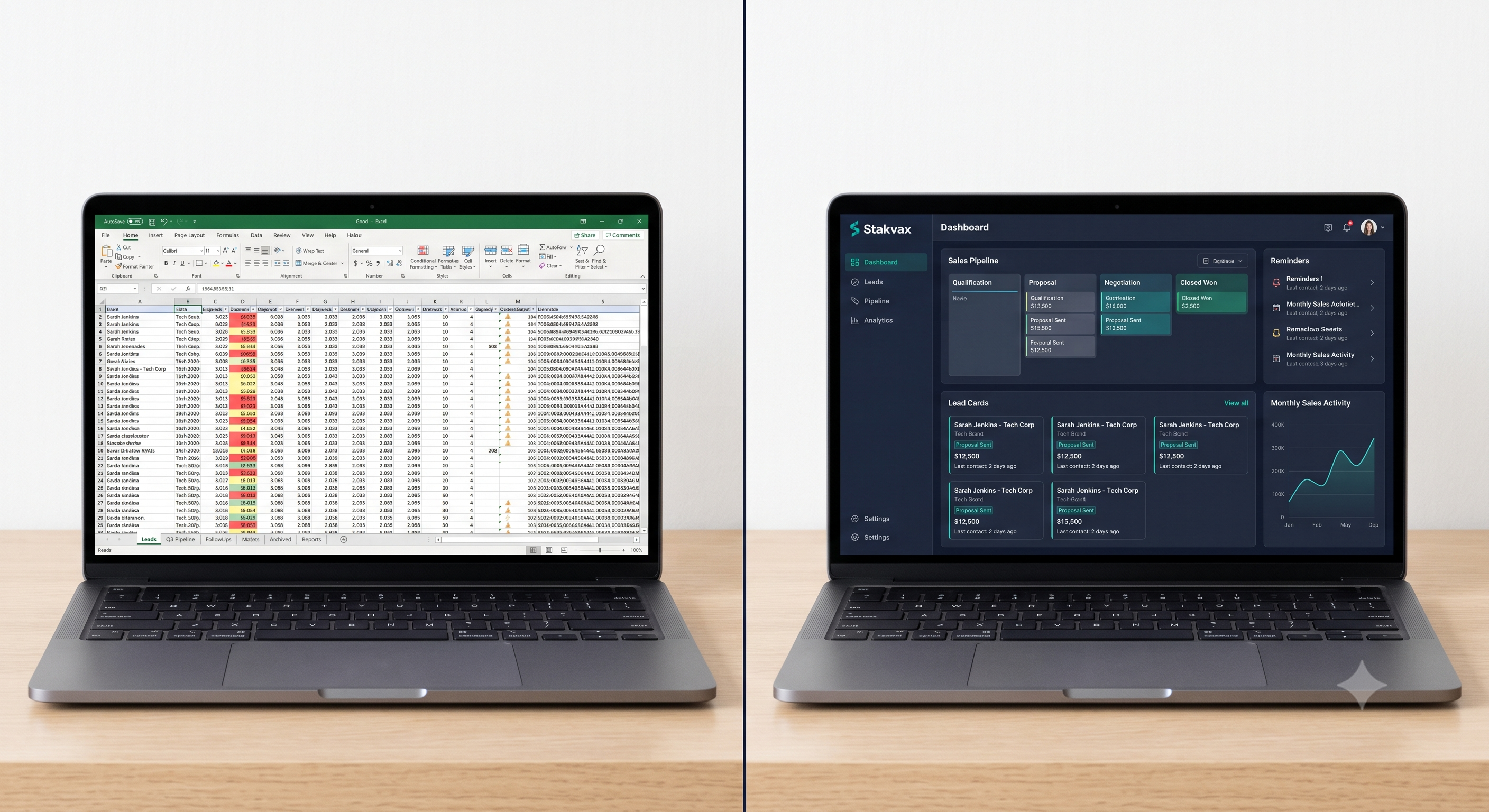
Business Benefits of Moving to a Custom CRM
| Business Area | Benefit |
|---|---|
| Sales | Faster follow-ups, fewer missed leads, higher close rates |
| Operations | Automated workflows reduce manual admin time |
| Customer Retention | Complete interaction history improves service and loyalty |
| Reporting | Real-time dashboards replace hours of manual compilation |
| Team Collaboration | Shared, always-current data eliminates version conflicts |
| Leadership Visibility | Accurate, real-time insight into pipeline and performance |
| Scalability | System grows with the business instead of breaking under it |
Custom CRM vs Off-the-Shelf CRM Software
Off-the-shelf CRMs like generic SaaS platforms solve the "no CRM at all" problem, but they introduce a different one: your business has to adapt to their workflow, their pricing tiers, and their feature limitations. For businesses with even moderately unique sales processes, that mismatch often means:
- Paying for features that don't fit how the team actually sells
- Working around limitations instead of around business needs
- Per-user pricing that scales painfully with team growth
- Limited ability to customize automation logic to your actual process
A custom-built CRM flips this relationship: the software is engineered around your existing workflow, your team's actual behavior, and your specific reporting needs — which is also why adoption tends to be far higher than with generic tools forced onto a team.
Feature Checklist: What a Custom CRM Should Include
- Centralized customer and lead database
- Customizable sales pipeline stages
- Automated follow-up reminders and task assignment
- Real-time dashboards and reporting
- Role-based access and permissions
- Email and calendar integration
- Document and interaction history per customer
- Workflow automation rules
- Mobile-friendly access for field or remote teams
- Scalable architecture for future growth
Best Practices for Moving from Excel to a Custom CRM
- Start with a full audit of your current spreadsheet workflow before designing the CRM
- Migrate data in phases, not all at once, to avoid disruption
- Involve the sales team early — adoption improves when the system reflects how they already work
- Build automation around your highest-friction manual tasks first
- Set clear reporting requirements before development begins, not after
Common Mistakes Businesses Make
- Buying an off-the-shelf CRM without mapping it against actual workflow first
- Migrating all historical data at once, creating a messy, error-prone transition
- Skipping team input, leading to low adoption after launch
- Underestimating the ROI of automation and treating the CRM as "just a database"
- Waiting too long — the longer a business waits, the more entrenched (and costly) the spreadsheet habits become
Frequently Asked Questions
Q1: How do I know if my business has outgrown Excel?
If leads are being missed, reporting takes hours, multiple people are editing the same file, or leadership can't get real-time pipeline visibility, those are strong signals it's time for a CRM.
Q2: Is a custom CRM better than HubSpot or Zoho for a small business?
It depends on how unique your sales process is. Off-the-shelf tools work for standard workflows; a custom CRM makes more sense when your process, reporting needs, or integrations don't fit a generic template well.
Q3: How long does it take to build a custom CRM?
Timelines depend on scope and complexity, but most custom CRM projects are scoped, built, and launched in phases over several weeks to a few months, starting with core functionality.
Q4: Will my sales team actually adopt a custom CRM?
Adoption is typically higher with custom CRMs because the system is built around your team's existing workflow rather than forcing them into a generic tool.
Q5: Can a custom CRM integrate with tools we already use?
Yes — custom CRMs are built to integrate with email, calendars, marketing platforms, and finance or ERP systems as needed.
Q6: What does a Custom CRM Strategy Consultation actually involve?
It's a free, no-obligation session where Stakvax maps your current workflow, identifies where Excel is costing you time or deals, and outlines what a custom CRM solution could look like for your business.
Conclusion
Excel didn't fail your business — it simply wasn't built for the job you're now asking it to do. Every missed follow-up, every outdated report, every version-control headache is a symptom of the same underlying problem: customer relationship management has outgrown a spreadsheet.
A custom CRM isn't about adding more software — it's about building a system engineered around how your team actually works, so nothing falls through the cracks and leadership finally has real-time visibility into the business.
If your team is still stitching together spreadsheets, inboxes, and sticky notes to manage customers, the fix isn't another tab — it's a proper system.
Book a FREE CRM Strategy Consultation and get a clear picture of what a custom CRM could do for your sales process — or Request a Custom CRM Demo to see what it could look like in action.