
There is a specific kind of silence that settles over a founding team around week seven.
The pitch deck said the MVP would be live in six weeks. It is week seven. The product does not exist yet — but the login page works, Stripe webhooks fire correctly about 80% of the time, the password reset email lands in spam, and someone has spent two full days deciding whether to use role-based or attribute-based permissions for a product with eleven users, none of whom have signed up.
None of this is incompetence. It is the standard cost of starting from an empty repository.
Here is the uncomfortable arithmetic. Across almost every B2B SaaS product, roughly the first 40% of the codebase is identical: authentication, session handling, multi-tenancy, subscription billing, role and permission management, transactional email, an admin panel, a dashboard shell, error tracking, CI/CD, and deployment configuration. That work is real, it is genuinely hard to do well, and no customer has ever paid for it. It is a tax on entering the market.
A SaaS starter kit — sometimes called a SaaS boilerplate — is the decision to stop paying that tax in full. Instead of writing the first 40% from zero, you start from a hardened, production-ready foundation and spend your entire engineering budget on the 60% that is actually your product.
This article covers what a SaaS starter kit genuinely is, how to evaluate one without getting burned, when a boilerplate is the wrong answer, and how to move from starter kit to a launched startup MVP on a realistic timeline. It is written for founders deciding how to spend their first ninety days, CTOs deciding what they will still be able to maintain in year two, and agencies deciding how to protect margin on fixed-bid work.
What a SaaS starter kit actually is — and what it is not
The term has been diluted by a wave of $49 GitHub repositories, so it is worth being precise.
A SaaS starter kit is a production-grade application skeleton that ships with the cross-cutting infrastructure every SaaS product requires, wired together, tested, and deployable on day one. Not a UI kit. Not a component library. Not a tutorial project with a README.
A serious kit answers all of the following before you write a single line of business logic:
- How does a user sign up, verify their email, log in, reset a password, and enable two-factor authentication?
- How do you model an organisation, invite team members, and separate one tenant's data from another's — at the database level, not the application level?
- How does a subscription get created, upgraded, downgraded, paused, and cancelled, and what happens to the account when a payment fails on the third retry?
- Who is allowed to do what, and how is that enforced on the server rather than hidden in the UI?
- What happens when an exception is thrown in production at 2am?
- How does code get from a pull request to production without a human running a script on their laptop?
What a starter kit is not: it is not your product, and it is not a substitute for product thinking. It removes undifferentiated work. It does not tell you what to build, who to sell it to, or why anyone should care. Teams that buy a boilerplate expecting it to solve a positioning problem end up with a beautifully architected application nobody wants.
It is also not a permanent dependency. A well-built kit is code you own outright — you fork it, you rename it, you delete the parts you do not need, and within a month it simply is your codebase. If a kit locks you into a proprietary runtime, a hosted control plane, or a licence that restricts how you deploy, that is not a starter kit. That is a platform, and it should be evaluated as one.
The real cost of building from scratch
Founders consistently underestimate this, and the error is structural rather than personal: you estimate the features you can picture, and the first 40% is mostly things you cannot picture until you hit them.
Here is a conservative breakdown of the plumbing work for a single competent full-stack engineer building a multi-tenant B2B SaaS foundation properly — with tests, with edge cases handled, not a happy-path demo:
| Foundation component | Realistic effort |
|---|---|
| Auth: signup, login, email verification, password reset, sessions, 2FA | 8–12 days |
| Multi-tenancy: organisations, invites, tenant isolation, data scoping | 7–10 days |
| Subscription billing: checkout, webhooks, proration, dunning, invoices, tax | 10–15 days |
| Roles and permissions, enforced server-side | 4–6 days |
| Transactional email: templates, deliverability, SPF/DKIM, bounce handling | 3–5 days |
| Admin panel: user lookup, impersonation, subscription overrides, audit log | 6–9 days |
| Dashboard shell: layout, navigation, responsive states, empty states, loading | 5–8 days |
| Observability: error tracking, structured logging, uptime, basic analytics | 3–4 days |
| CI/CD, environments, secrets management, database migrations, backups | 4–6 days |
| Security baseline: rate limiting, CSRF, headers, input validation, audit | 3–5 days |
| Total | 53–80 working days |
That is roughly eleven to sixteen weeks of one engineer's time, before your product does anything a customer would describe. Two engineers do not halve it — coordination overhead and shared architectural decisions mean you realistically get to eight or ten weeks.
Now attach a number to it. At a blended cost of $6,000–$12,000 per engineer-month, that foundation costs somewhere between $18,000 and $60,000 to build in-house. And that is only the direct cost. The indirect costs are worse:
Opportunity cost. Three months not spent talking to customers is three months of learning you do not have. The single greatest predictor of early-stage survival is iteration speed against real user feedback, and you cannot iterate against feedback you have not collected yet.
Compounding decision debt. Foundation decisions made quickly under launch pressure — how tenancy is modelled, where authorisation lives, how the billing state machine is structured — are the hardest decisions to reverse later. A billing model that assumed one subscription per user becomes a six-week migration the day you sign your first customer who wants five seats and annual invoicing.
The 90%-done trap. Billing is the canonical example. Stripe checkout takes an afternoon. Handling failed payments, proration on mid-cycle plan changes, webhook idempotency, replay attacks, currency and tax, and the account state machine when a card expires — that is where the fifteen days go, and skipping it produces silent revenue leakage you will not notice for two quarters.
None of this argues that the work is unimportant. It argues that it is solved, and solving it again from zero is a choice.
Anatomy of a production-ready Next.js SaaS starter kit
Next.js SaaS starter kit is the most searched variant of this category for a reason: the App Router, server components, server actions and edge middleware map unusually well onto SaaS requirements. Middleware handles tenant resolution and route protection before a page renders. Server components keep data-fetching and authorisation on the server by default. Server actions collapse a lot of API surface area. The result is meaningfully less code than the equivalent SPA-plus-REST-API architecture.
A serious Next.js kit should contain, at minimum:
Authentication layer. Email/password plus OAuth providers, email verification, secure session handling with rotation, password reset with single-use expiring tokens, and TOTP-based two-factor. Session security should be handled in middleware, not sprinkled across page components.
Multi-tenancy model. Organisations as first-class entities, per-organisation membership with roles, invitation flows with expiry, and tenant scoping enforced at the query layer. The critical test: if a developer forgets to add a where organizationId = ? clause, does the system fail safely or leak another customer's data? In a well-built kit, that mistake is structurally difficult to make.
Billing integration. Stripe (or Paddle / LemonSqueezy) with a complete lifecycle: checkout sessions, idempotent webhook handling, plan upgrades and downgrades with proration, trial periods, dunning for failed payments, customer portal, invoice history, and a clean mapping between provider subscription state and internal account state. Usage-based metering as an option rather than an afterthought.
Authorisation. Roles defined in one place, permissions checked server-side on every mutation, and UI that reflects permissions rather than defining them. Owner, admin and member as sensible defaults, extensible without rewriting.
Admin surface. User search, subscription overrides, safe impersonation with an audit trail, feature flags, and a log of privileged actions. This is the component teams skip and regret within the first month of having real customers.
Application shell. Responsive dashboard layout, navigation, settings pages for profile, organisation, team, and billing, plus the states everyone forgets: empty, loading, error, and permission-denied.
Operational baseline. Typed database access with migrations, a seeding strategy, structured logging, error tracking, rate limiting on auth and API routes, security headers, and a CI pipeline that runs type checks, lint, tests, and a preview deploy on every pull request.
If a kit you are evaluating is missing three or more of these, it is a template, not a starter kit — and the gap between the two is exactly the eleven to sixteen weeks described above.
React SaaS and MERN SaaS: choosing your stack
Not every team should default to Next.js. The honest version of this decision looks like this.
Next.js is the right default for most B2B SaaS. Server rendering matters if any part of your product is public or SEO-relevant (marketing pages, shared documents, public profiles, changelogs). The full-stack model means one codebase, one deployment, less coordination. The trade-off is a framework opinion you inherit, and a hosting story that is easiest on specific platforms.
React SaaS — a standalone React SPA against a separate API — makes sense when the product is entirely behind a login wall, when your API must serve multiple clients (web, mobile, partner integrations), or when your backend team works in a different language than your frontend team. Dashboards, internal tools, and data-heavy analytics products often fit here. You give up SEO you likely do not need and accept two deployment pipelines.
MERN SaaS — MongoDB, Express, React, Node — is the pragmatic choice when your data model is genuinely document-shaped, when schema evolution is fast and unpredictable in early stages, or when your team's existing expertise is Node-first and you want minimum context switching. The caution: document databases make it easier to defer data modelling decisions, and deferred modelling decisions in a multi-tenant billing system tend to arrive as an invoice later. If your product is fundamentally relational — organisations, seats, subscriptions, permissions, usage records — a relational database will usually serve you better, whatever the rest of the stack.
The decision matrix, compressed:
| If this is true | Choose |
|---|---|
| Public pages matter for acquisition | Next.js |
| Product is entirely post-login | React SPA + API |
| Mobile app shares the same backend | React SPA + API, or Next.js API routes |
| Data model is document-shaped and volatile | MERN |
| Billing, seats and permissions are core | Relational database, any frontend |
| Small team, wants one codebase | Next.js |
There is no wrong answer here that a good team cannot make work. There are only answers that cost more later than they saved earlier.
SaaS boilerplate vs. custom SaaS development: how to choose
This is the question that actually determines whether the next ninety days go well, and it is rarely a binary.
Start with a starter kit when:
- Your product is a reasonably conventional multi-tenant B2B SaaS
- You have at least one engineer who can own and extend the codebase
- Speed to first paying customer is your dominant constraint
- Your differentiation lives in the product logic, not the infrastructure
- Budget is constrained and equity is expensive
Commission custom SaaS development when:
- Requirements are genuinely non-standard — complex workflow engines, regulated data handling, unusual tenancy or compliance models
- You have no in-house engineering capacity and no plan to build one soon
- The system must integrate deeply with existing enterprise infrastructure (ERP, legacy databases, on-premise deployment)
- The product is CRM, HRMS, POS, or an AI-native workflow where domain modelling is most of the work
- Timeline pressure is high and internal bandwidth is zero
Do both — which is what most successful teams actually do: Start from a hardened foundation, then bring in a development partner to build the differentiated 60% on top of it. You get the speed of a boilerplate and the depth of a specialist team, and you avoid the two classic failure modes: a beautiful foundation that never becomes a product, and a bespoke build that spends its first two months reinventing authentication.
The framing that helps most: a starter kit removes risk from work that is already solved. Custom development removes risk from work that is not. Spend your money where the risk actually is.
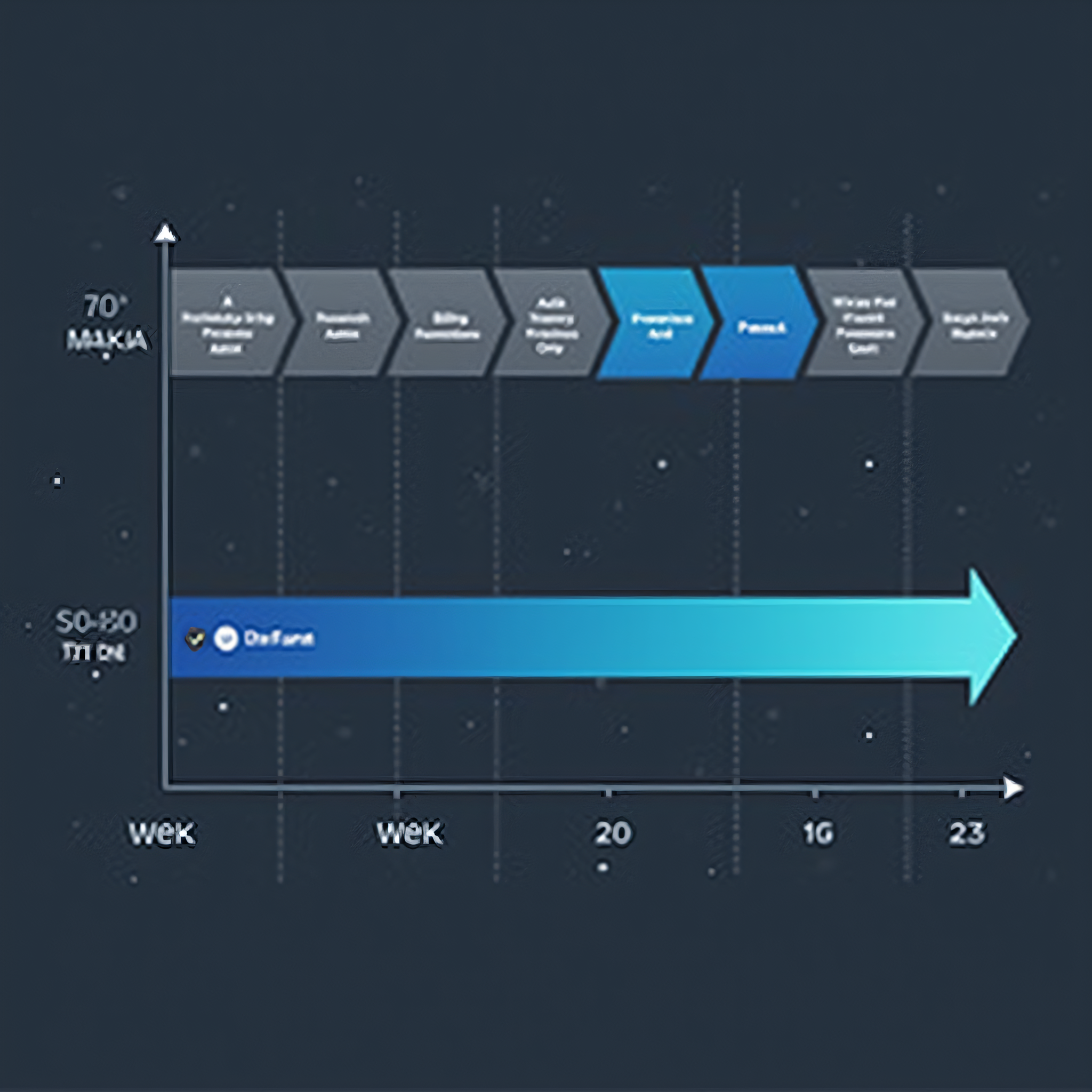
From starter kit to launched MVP: a realistic 21-day plan
This is not a guarantee. It is a plan that has worked repeatedly for conventional B2B SaaS products, assuming one to two competent engineers and a founder who can make decisions in under 24 hours.
Days 1–2 — Foundation setup. Fork the kit, rename, configure environment variables, connect the database, wire the payment provider in test mode, deploy to staging. By end of day 2 you should be able to sign up, join an organisation, subscribe to a test plan, and see a dashboard. Do not skip the deploy — a foundation that only runs locally is not a foundation.
Days 3–5 — Domain modelling. Define your core entities and their relationships. Write the migrations. This is the highest-leverage work of the entire three weeks and the place to be slow and deliberate. Ask specifically: what does this look like when one organisation has 200 users and 4 million rows?
Days 6–12 — Core feature build. The single workflow that constitutes your product's reason to exist. One workflow, end to end, done properly. Resist adding a second until the first works.
Days 13–15 — Billing and plan gating. Map your real plans and prices, enforce limits server-side, test the ugly paths: failed payment, mid-cycle upgrade, cancellation, reactivation. Run at least one full cycle in test mode using Stripe's clock simulation.
Days 16–18 — Onboarding and empty states. The gap between signup and first value determines activation. Build the guided first-run experience, seed sample data where it helps, and write the three transactional emails that matter: welcome, activation nudge, and trial-ending.
Days 19–20 — Hardening. Rate limits, security headers, error tracking verified in production, backups tested by actually restoring one, load-check the two heaviest queries, and a manual pass through every permission boundary as a non-admin user.
Day 21 — Launch to a narrow list. Not Product Hunt. Ten to thirty people who have already told you they have the problem. Watch every session. Fix what breaks. Then widen.
Compare this against the same team starting from an empty repository, where day 21 is somewhere around the middle of the auth and billing work.
Seven mistakes teams make with a SaaS boilerplate
- Treating the kit as a black box. Spend the first two days reading the code, not just running it. You are going to own this. Understand how sessions, tenancy and billing state are wired before you build on top of them.
- Keeping everything. Kits ship with features you will never use. Delete them in week one, while deletion is cheap. Unused code is not free — it is surface area for bugs, dependencies, and confusion.
- Fighting the kit's conventions. If the kit organises code a certain way, follow it until you have a concrete reason not to. Half-migrated architectural patterns are worse than either pattern alone.
- Skipping the billing edge cases because checkout works. Checkout working is roughly 20% of billing. The remaining 80% is failure states, and failure states are where revenue leaks.
- Building the admin panel later. The first time a customer emails "my subscription says cancelled but I paid," you will want impersonation and an audit log. Later always arrives sooner than planned.
- Postponing multi-tenancy. Retrofitting tenant isolation into a single-tenant application is one of the most expensive migrations in software. If there is any chance you will sell to teams, model organisations from day one.
- Choosing a kit by star count. Evaluate on maintenance cadence, dependency freshness, test coverage, documentation quality, licence terms, and whether the billing implementation handles dunning. A popular kit that was last updated fourteen months ago is a liability with good marketing.
When you genuinely should build from scratch
Intellectual honesty matters here, because the answer is not never.
Build from scratch when your product's core difficulty is the infrastructure — a database engine, a real-time collaboration substrate, a novel authorisation model that is itself the product. Build from scratch when regulatory or contractual constraints dictate architecture that no general-purpose kit anticipates, such as strict data residency with per-region isolation, or on-premise deployment into an air-gapped environment. Build from scratch when you have a large, experienced platform team and a multi-year horizon, where the compounding value of a bespoke foundation exceeds the cost of building it.
If none of those describe you — and for the overwhelming majority of early-stage products, none of them do — starting from zero is a preference, not a requirement. Preferences are allowed. They should just be priced honestly.
How Stakvax approaches this
Stakvax builds on both sides of that decision, deliberately.
Premium starter kits in Next.js, React and MERN, built to the standard described above: complete auth, multi-tenancy with organisation-level isolation, full subscription billing lifecycle, server-enforced RBAC, an admin panel with impersonation and audit logging, transactional email, CI/CD, and a security baseline — shipped as code you own, with documentation written for engineers rather than for a landing page.
Custom software development for teams whose requirements outrun a template: SaaS platforms, CRM, HRMS, POS systems, AI-native products, mobile applications, and internal automation. The same foundation logic applies — Stakvax does not rebuild authentication for every client, which is precisely why timelines compress.
The path most teams take is the hybrid one: license a kit, build the differentiated product on top, and bring Stakvax in for the parts that need specialist depth — a complex integration, a performance problem at scale, a compliance requirement, or simply more hands before a launch date.
Frequently asked questions
Is a SaaS starter kit suitable for production, or only prototypes? A properly built kit is production infrastructure. The distinction is in the details: does the billing implementation handle dunning and proration, is authorisation enforced server-side, is tenant isolation structural, is there a CI pipeline and an error tracking integration. Kits that handle these are production tools. Kits that do not are prototypes with a price tag.
Will using a boilerplate make my product look generic? Only if you keep the default styling. A starter kit determines your infrastructure, not your interface. Most teams replace the visual layer entirely in the first week — and users judge your product on your core workflow, not on your settings page layout.
How long does it take to launch an MVP from a starter kit? For a conventional B2B SaaS with one or two engineers, three to six weeks from fork to first paying customer is realistic. The variable is not the kit — it is how quickly you make product decisions.
What happens when the kit gets updated? Am I stuck on an old version? You own a fork. Upstream updates are optional, and most teams pull selectively — a security patch, a dependency bump — rather than merging wholesale. Within two months, the codebase is meaningfully yours regardless.
Should I choose Next.js, React or MERN? Next.js if public pages matter for acquisition or you want one codebase. React SPA plus API if the product is entirely post-login or serves multiple clients. MERN if your data is genuinely document-shaped and your team is Node-first. If billing, seats and permissions are central, prefer a relational database whatever the frontend.
Can I start with a kit and hire a development partner later? That is the most common successful path. The kit removes the undifferentiated work; the partner accelerates the differentiated work. Starting with a clean, conventional foundation makes onboarding an external team faster and cheaper.
The bottom line
The first 40% of your SaaS product is a solved problem. It is well understood, well documented, and available as production-ready code. Rebuilding it from an empty repository costs eleven to sixteen weeks and tens of thousands of dollars, and returns nothing your customers will ever notice.
The remaining 60% — the workflow only you understand, the customers only you have talked to, the wedge only you have found — is where a company is actually won or lost. That is where your engineering budget belongs.
Stop building from scratch. Start from production-ready, and spend your runway on the part that is yours.